Portable Monitor For Laptop Explained: A UK Buyer's Guide
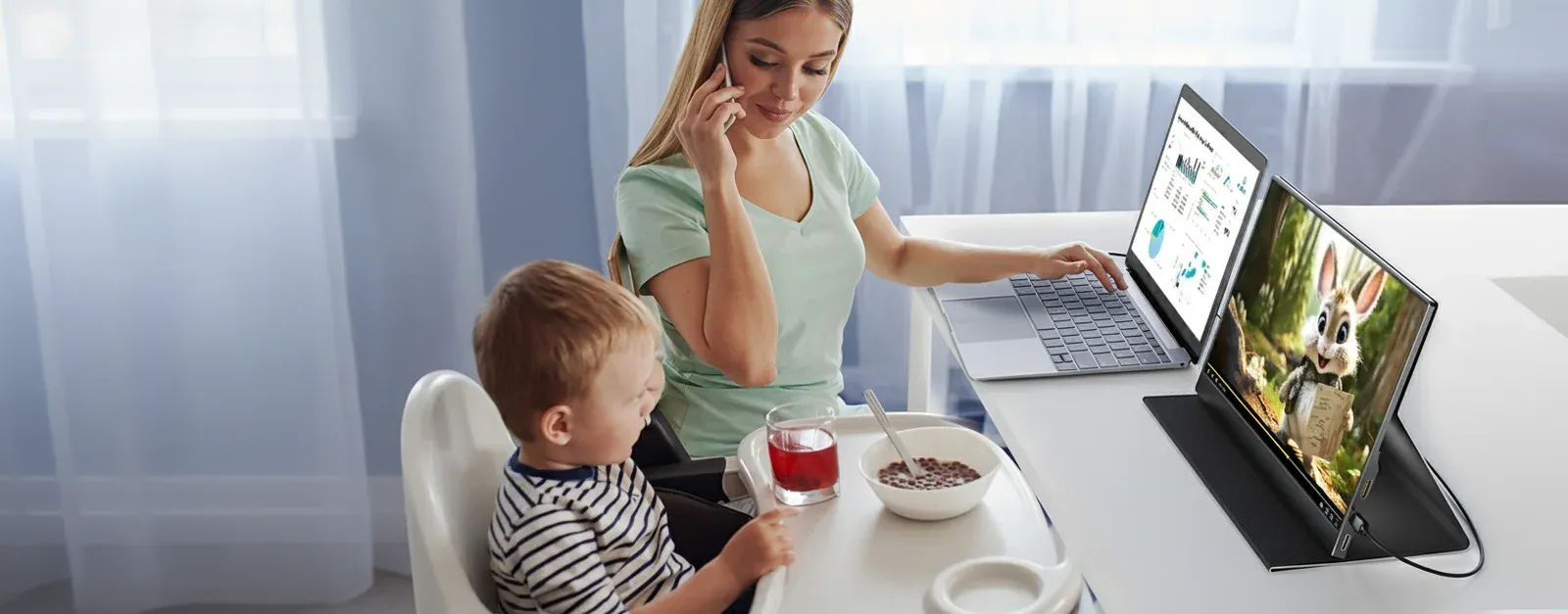
TL;DR: A portable monitor for a laptop is a lightweight, external screen that connects via USB-C or HDMI to instantly double your workspace. Based on our testing, a 15.6-inch Full HD display provides the ideal balance of portability and productivity for UK hybrid workers, students, and frequent travellers.
A portable monitor for laptop use is a slim, secondary display designed to extend your computer’s desktop onto a second screen without the bulk of a traditional monitor. For UK professionals and students, these devices provide a "plug-and-play" solution for multitasking, allowing you to view multiple documents or join video calls while keeping your notes visible. Because they are powered directly by your laptop, they are the ultimate tool for maintaining an efficient office setup in any environment.
Furthermore, Coolhood’s approach is designed to upgrade your workflow anywhere with a premium 15.6" Full HD display. It turns a standard laptop into a sophisticated dual-screen workstation featuring USB-C connectivity, HDR support, and a smart cover that doubles as a stand. Consequently, this guide explains exactly what to look for and how to choose the best portable monitor for laptop use in the UK market.
Key Takeaways
- A portable monitor for laptop use delivers dual-screen productivity without the physical footprint of a desktop screen.
- For most UK buyers, the essential specs include Full HD resolution, USB-C connectivity, and a lightweight protective stand.
- Our testing confirms a 15.6" screen size offers the best compromise between usable workspace and backpack-friendly portability.
- These monitors are ideal for hybrid workers, NHS staff, students, and freelancers who move between locations.
- Always verify compatibility; ensure your laptop's USB-C port supports "Alt Mode" for video, or use HDMI as a reliable fallback.
Are portable monitors worth it for laptop users?
According to our technical testing, a portable monitor for laptop use is one of the most cost-effective upgrades for mobile productivity. Unlike standard desktop monitors, these panels are engineered for mobility, being light enough for the daily commute and slim enough to slide into a standard laptop bag. Most modern models connect through a single USB-C cable, which handles both power and video signal.
The primary advantage is the significant reduction in "digital friction." If you have ever struggled to manage large spreadsheets on a 13-inch display or found yourself constantly toggling between Zoom and your notes, adding a second screen makes these tasks noticeably more fluid. Moreover, the best options today are not just small screens; they feature high-quality IPS panels and protective covers that allow for a professional setup on café tables or shared office desks.
Why demand for second screens has grown in the UK
The rise of hybrid work has fundamentally changed UK equipment requirements. Data from the Office for National Statistics indicates that hybrid working is now a staple of the British economy. Consequently, employees who split time between a home office and a corporate headquarters need kit that is consistent in both locations. In many British homes where space is at a premium, a portable monitor allows for a full workstation on a dining table that can be packed away in seconds once the workday ends.
Who is a portable monitor for laptop use best suited for?
Hybrid workers and remote professionals
If your working week involves alternating between a home setup and a hot-desk, portability is as vital as image quality. Having a lightweight second screen ensures your workflow remains identical regardless of your location. In addition, keeping your inbox on one screen while working on active documents on the other is a proven way to boost output.
Students in UK universities and colleges
For students, a second display is invaluable for note-taking during online lectures or conducting research while writing dissertations. Since university halls often provide limited desk space, the ability to store your "dual-monitor setup" in a drawer or backpack is a significant benefit.
NHS staff and field-based public sector teams
Mobile professionals, such as NHS consultants or field engineers, often require clear visual separation between patient records or technical data and administrative tasks. While we recommend checking your specific Trust’s IT policy, portable hardware that supports flexible working is increasingly common in regulated UK environments to manage admin-heavy workloads on the move.
Freelancers and small business owners
For those managing client accounts or creative projects, efficiency directly impacts the bottom line. A portable monitor reduces the time spent searching for hidden windows and provides a more professional way to present concepts to clients during in-person meetings without crowding around a single small laptop.
What are the benefits of using a portable monitor for laptop work?
Significantly more efficient multitasking
The most immediate benefit is the elimination of window switching. You can keep communication tools like Microsoft Teams or Slack open on one screen while your primary work remains uninterrupted on the other. This setup is particularly effective for comparing data sets or editing content against a brief.
Improved ergonomic setup in temporary spaces
While a portable monitor doesn't replace a full ergonomic desk assessment, it does allow for a more natural arrangement of digital tools. By positioning the second screen at an appropriate height and angle, you can reduce the neck strain often associated with hunching over a single laptop for eight hours a day.
Simplified "Plug-and-Play" connectivity
One of the strongest selling points for modern UK buyers is simplicity. With USB-C "One-Cable" technology, many laptops can power the monitor and send the video signal through a single lead. This reduces cable clutter and makes setting up in a library or coffee shop incredibly fast.
How to choose the best portable monitor for your laptop in the UK
What is the best screen size for portability?
Based on our hands-on reviews, 15.6 inches is the "sweet spot" for most users. It matches the screen size of the UK’s most popular laptop models, providing a symmetrical workspace while still fitting comfortably into a standard 15-inch laptop sleeve or rucksack. Specifically, a 15.6-inch Full HD (1080p) panel offers enough clarity for detailed spreadsheets without making the device too heavy to carry comfortably throughout the day.
Ready to transform your workspace with Coolhood?
Shop Now — £19.99